
Cybercrime is no longer something that only keeps big businesses up at night. In 2025, over 40% of businesses in the UK experienced a cybersecurity breach or attack.
When large (250+ employees) and medium-sized businesses (50 to 249 employees) only make up around 46,000 of our 5.7 million businesses in this country, it’s clear that smaller outfits are shouldering more than their fair share of cybercrime’s impact.
But why are small businesses being targeted at all? Surely cybercriminals would focus on bigger companies?
They do. In their droves. 74% of large businesses reported being hit by a cyber-attack in 2025. That’s a lot more than the average of 40% we cited above.
But, there are only around 8,000 large businesses in the UK. And they have stronger cybersecurity, more expertise, and the money needed to properly defend themselves against cybercriminals.
So, why go after small businesses? Simple. It’s easy. The rewards are a drop in the ocean compared to larger businesses, but attacks can often be carried out en masse and quickly, using techniques like phishing and social engineering.
The rise of AI-assisted hacking is only going to put more pressure on smaller businesses. The National Cybersecurity Centre (NCSC) have already warned that by 2027, AI will “almost certainly continue to make elements of cyber intrusion operations more effective and efficient.”
Makes for grim reading, right? That’s why it pays to be prepared. In this article, we’re not going to sugarcoat anything. We’re going to lay out the cybersecurity risks small businesses face in plain English.
After that, we’ll cover what you can do to limit them. As well as how insurance can play a big part in protecting the long-term success of your business.
What cybersecurity risks small businesses actually face
There’s a Hollywood perception of hacking – you know the one. A person in a hoody, their face shrouded in darkness, glaring at an enormous monitor, green text cascading down the screen as their fingers frantically dance across the keyboard.
Yeah… it’s not really like that. Nowadays, ‘hacking’ is more focused on everyday tasks we all do. Checking and replying to emails and texts, sending and receiving packages, paying for stuff online, commuting, etc.
Hackers aren’t getting access to small business’ systems by ‘hacking the mainframe’ or ‘brute forcing the firewall’.
They’re doing it by using something called social engineering. They’re techniques designed to psychologically manipulate you into doing something for them.
Normally, this takes the form of a fake email, text, phone call, or social media message. With the end goal of inadvertently sending them money, handing over client data, giving them access to your systems, or otherwise compromising your security.
Let’s dive deeper into their techniques, so you know more about the risks you face.
Phishing
Phishing is the most common form of cyber-attack and one of the biggest cybersecurity risks for small businesses. Of the businesses that experienced an attack in 2025, 85% were instances of phishing.
In its simplest form, phishing is when a cybercriminal sends you a deceptive email, text, or social media message designed to make you click a link, open an attachment, provide log in details, or approve a payment.
For example, let’s say you use Microsoft 365. One day, you get an email from ‘Microsoft’ saying your account is about to be suspended because of a failed payment. The email looks authentic on the surface and includes a link to log in to your account.
You click the link and enter your log in details into what looks like the Microsoft 365 homepage. Bam, the phishing email has worked.
The cybercriminal has carefully crafted an email to look exactly like those you would receive from Microsoft. They’ve then done the same with the website. If you’re not paying careful attention, it’s easy to miss the signs:
- The email address you received the email from was fake
- The website you visited from the email had an incorrect URL
- There may have been slight errors in spelling, grammar, or punctuation in the email.
This example could take the form of an email from HMRC, a text from a supplier, or a social media message from a friend.
They all have the same goal in mind: to get something from you.
It pays to be aware of the tactics used in phishing, so you can avoid falling victim to it. The NCSC have put together a great phishing guide for businesses which goes into detail on what you can do to both prevent an attack and protect your systems.
Business email compromise (BEC)
BEC is a type of fraud designed to impersonate someone you trust. Cybercriminals will either use an email address that’s very similar to the trusted person (eg joe.bloggs@company.com instead of joebloggs@company.com) or hack into that person’s email directly and send fake emails.
Often, they’re trying to trick you into sending money or sharing sensitive information about your business.
For example, you might have a trusted supplier you’ve worked with for many years. One day, you get an email from them asking for any future invoices to be paid to a new bank account. Seems like a reasonable request, right?
If you don’t double check before making the change, you could inadvertently send money to the cybercriminal instead of your supplier. Even worse, your supplier still needs paying so it’s a double whammy.
Double-checking the sender’s email address, carefully considering the language used, or making a phone call to the person before doing what they ask are all potential ways of avoiding the scam.
Northern Ireland's cyber security centre has more information that’s well worth a read.
Ransomware or malware
Ransomware is a more specialised form of cybercrime, but it still affects well over 10,000 businesses a year in the UK.
It’s a type of malware that blocks access to your computer or data, usually by encrypting your files and demanding a ransom payment to decrypt them.
Malware is a wider term that encompasses all kinds of malicious software. As well as ransomware, there are types of malware that can take control of devices, steal log in credentials, and much more.
A common way of falling victim to ransomware is through phishing emails, often in the form of an infected attachment. Once you open it, it gets to work on your computer and encrypts your data, preventing you from accessing it until you pay a ransom, restore your data from a backup, or wipe any infected devices and start over.
Unfortunately, the only way to deal with ransomware is to not fall victim to it in the first place.
We keep mentioning them, but the NCSC have put together a huge variety of resources on ransomware. From how to detect it to how to deal with it if you do find yourself with an infected system. You can also have a read of our ransomware insurance guide for more info on protecting yourself.
Weak passwords
Do you use the same password for all your accounts? If so, you’re a dream come true for a cybercriminal.
All they need to do is breach one of your accounts and they’ve got themselves access to every account that shares a password with it.
Having strong, unique passwords for every different account is one of the easiest ways to stop a breach becoming more serious. It’s a lot easier to recover access to one account without having to worry about what could be happening across the rest.
Worried about remembering and managing all those unique passwords? You need a password manager, like 1Password, Bitwarden, Dashlane, etc.
Password managers do several things:
- Generate strong, unique passwords for you
- Store passwords in a cloud-based environment, so you can access them from your phone, laptop, tablet, and computer
- Flag up instances where you’ve used the same password on multiple accounts
- Allow you to enter passwords automatically when signing into apps or websites. All you need to do is scan your fingerprint or face.
No multi-factor authentication (MFA)
MFA is a sign-in method for your online accounts which requires two separate proofs of identity before you can log in, not just a password.
So, you’ll enter your password correctly and, before you’re logged in, you’ll also have to provide something else. This could be:
- A fingerprint or face scan
- A separate security key, like a PIN number
- A code sent to your email address or phone number.
MFA is good for account security because even if your password is stolen, a cybercriminal still can’t access your account because there’s another layer of security.
It’s a no-brainer when it comes to cybersecurity and you should have it active across any accounts that allow it.
Check out the NCSC’s guide on MFA for more info. It includes the best kinds of authentication to use as well as guidance on how and when to use it.
Lost or stolen devices
We’ve talked about a lot of digital problems, so let’s cover more of an analog one.
Cybercriminals thrive on locating lost devices, especially corporate devices that hold a wealth of useful data. They might purchase these illicitly or steal them, before extracting the data and either selling it, ransoming it, or using it to access a business’ systems.
We’re all human. One of your team members is bound to accidentally lose one of their work devices at some point.
There are ways you can lock down devices to make them tougher to access, though.
Here are a few tips:
- Turn on full-disk encryption. This prevents the hard drive from being read if someone removes it and plugs it into another computer.
- Set the device to auto lock quickly. If it’s snatched, it should lock before the thief is able to do anything.
- Set up remote locate, remote lock, and remote wipe on all devices. This lets your IT team protect the data, once they’ve been notified a device is lost.
- Set up MFA on all devices.
- Keep the operating system, antivirus software, and all other apps and programmes updated automatically.
- Once it’s stolen, remotely lock and wipe the device. You should also reset the passwords on any accounts associated with the device.
These are some good starting points for making sure your business’ data is safe if any devices go missing.
The NCSC’s ‘cybersecurity for small businesses’ guide has more info on how to protect your devices.
The impact of a cyber-attack on a small business
We’ve talked about the kinds of cybersecurity risks a small business could face, but how might they impact you in real terms?
The first, and most apparent, is operational disruption. After a cyber-attack, you may not have access to your systems. This means you might not be able to access your files, emails, and tools.
Your website might be down too. If you rely on it for sales, you could see a big hit to your bottom line in the short term.
In 2025, the UK government estimated the average cost of a breach was around £1,600. That includes micro-businesses and sole traders, though. The more reliant you are on your systems and the internet, and the less prepared you are, the more serious and costly a breach can be.
Outside of operational disruption, you have the clean-up costs of a cyber-attack. Restoring systems, replacing hardware, improving your security so it doesn’t happen again. All these things come at a cost, and they’re mandatory if you want to get back up and running.
You also have the ‘softer’ outcomes of a cyber-attack. Reputational damage, loss of customers, bad publicity. Depending on the severity of the attack, this damage alone could set you back considerably.
You’ll also need to notify the Information Commissioner’s Office (ICO) when you’re breached, if personal data is involved. You have to inform the ICO within 72 hours of such a breach and you may need to inform everyone affected. That’s more time and money spent on recovering.
There are more costs involved if you’re a smaller outfit too. Paying for emergency IT support is costly, but often necessary, and any disruption in cashflow can be a problem if your margins are tighter.
How cyber insurance helps
Even with all the tips we’ve shared, and following the NCSC’s advice to the letter, you can still be on the receiving end of a cyber-attack. And fail to contain it.
Cybercriminals are evolving all the time. The techniques and technology they use are evolving along with them, allowing them to find ways past even the tightest cybersecurity measures.
When you’re breached, having cyber insurance can take a lot of stress out of the situation. It provides you with access to IT experts who will work to stop the attack and restore your systems. It also sends in legal experts to advise you on your next steps, including ICO notification.
Cyber insurance will even pay for PR experts to help you communicate with your customers and defend your reputation.
You can even add on cover that’ll pay for any lost income you’ve experienced while you’ve been getting back on your feet. As well as protection for financial cybercrime – the most common type of cybercrime.
Taking positive action and implementing some of the advice we’ve spoken about in this article, alongside the NCSC’s guidance, will put you on the right path. Couple that with cyber insurance and you’re in the best place to avoid the growing risk of cybercrime.
Have any more questions about cyber insurance? Or are you ready to speak to an insurance broker? Give us a call on 0345 222 5391 to speak to one of our knowledgeable insurance advisers.
Cybersecurity checklist for small businesses
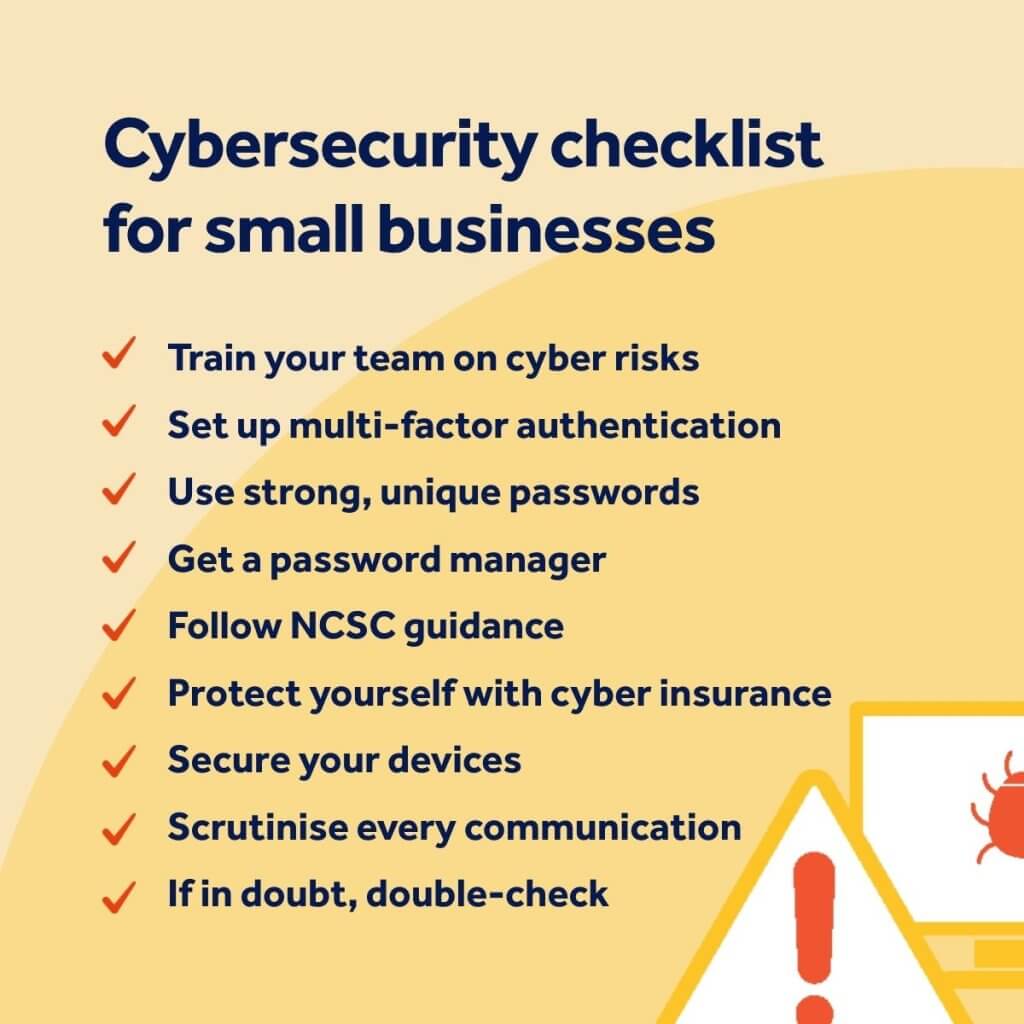
Image used under license from iStock.
business advicecyber insurancecyber liability insurancecybersecurityfreelancersmanaging riskrunning a business