
Phishing is the number one gateway to cybercrime. It’s thought that up to 95% of cyber-attacks and data breaches start with a phishing attack. And that three quarters of phishing attacks begin with a deceptive email.
Cybercriminals use them because they’re effective, easy to deploy, and allow them to profit by exploiting the personal data of all kinds of businesses.
Here, we’ll tell you everything you need to know about how to protect your business from phishing attacks: what they are, how they work, and how to spot them. So, you can feel confident sending any sneaky attempts to steal your data straight to ‘spam’.
What are phishing attacks?
By ‘phishing attacks’, we mean the many devious techniques cybercriminals can use to trick you into revealing private info like passwords and bank details. For example, by using fraudulent emails, websites, social media posts, text messages, or even voicemail messages.
Phishing is a form of social engineering. Which is where cybercriminals use strong psychological triggers – like trust, urgency, or fear – to manipulate people into doing something for them.
It’s used to target both individuals and businesses with startling efficacy: over 85% of UK businesses identified having had a phishing attack in 2025.
What do phishing attacks look like?
There are lots of different types. However, some classic examples include those dodgy-looking emails from ‘your bank’ or ‘HMRC’ asking you to log into your account and update your personal details. Or claiming you’ve won a competition and need to give a few basic details to claim your prize...
We’ve all laughed at those fake emails from Nigerian princes urging you to transfer large amounts of money, promising a lavish reward in return.
Now, hackers have wised up to the fact that they’re more likely to catch you out by pretending to be someone associated with your business – like a parcel shipment company or someone on your team.
What’s more, today’s rapid-fire technological advances mean phishing attempts look and feel more convincing. And while the psychological element hasn’t changed any, hackers can use generative AI to help them.
Like a fake social media post encouraging you to click on a fraudulent link. Or a voice note from a ‘colleague’ asking you to pay a late invoice for them. Hackers can even create QR codes that release a torrent of malevolent code when scanned by your phone.
Why are small businesses vulnerable to phishing attacks?
Cybercriminals bank on the fact that because you’re a small business, your cyber defences will be weaker. And then there are creepy techniques like spear phishing, where hackers gather information about you to help them create a targeted attack.
If you’re a small business that’s had its systems hacked and its website shut down, you might indeed not have the time, money, or resources to deal with it as swiftly and efficiently as a larger company.
However, the truth is that most cybercriminals don’t discriminate. They can send out masses of fraudulent emails to all kinds of businesses with just one click. Then sit back and wait to see who bites.
Seeing how even the most vigilant small businesses can be caught out, that might just be someone who doesn’t have the time or expertise necessary to vet each and every ‘urgent’ email they receive. Like you.
6 ways to spot phishing emails
With that in mind, here are our top tips for how to protect your business from phishing attacks by spotting them as soon as possible. They should help you identify some major red flags when you're scanning your inbox:
- Is it urgent? If an unsolicited email asks that you do something NOW, it might well be a phishing email. Tell-tale phrases include, ‘immediate action required’, ‘account suspension warning’ etc.
- Is it asking for your private info? Stay well clear of any communications that do. Real companies won’t ever ask you to send any information that would allow them to identify you personally via email. (It’s illegal for them to do so, in fact.)
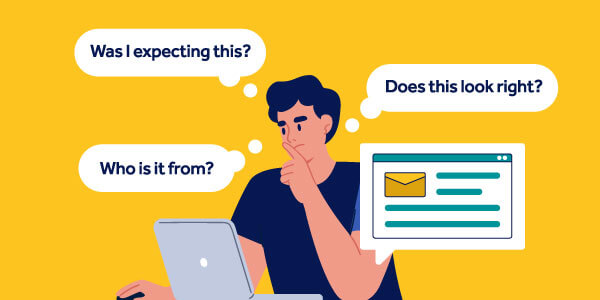
- Be critical. Ask yourself: Who’s the sender? Are they addressing me personally or in a generic way? What are they asking me to do? Was I expecting to hear from them? Can I verify the sender personally? Are they offering something that’s too good to be true?
- Scan for errors. Tell-tale indicators you might be looking at a phishing email include subtle changes in domain names, dodgy logos, strange formatting, awkward phrasing, or spelling and grammar mistakes in the subject line or body text.
- Verify all links and attachments. Never open up any links or PDFs, Word docs, Excel files, etc. without first checking the file name/URL by hovering over it with your mouse. Treat any file names with extensions such as .zip, .exe or .scr with caution.
- Trust your instincts. If something doesn’t feel or look right, it’s worth asking for a second opinion.
How do phishing attacks work?
Assuming cybercriminals do get you to click on a dodgy link or open up a corrupt email attachment. What then?
Some phishing attacks work by infecting your servers with ransomware to extort you for money. Others sneakily install spyware on your computer to harvest your credentials which they can sell on to other criminals.
If that happens, it’s not just your business’s data that’s at risk…your clients’ data is fair game too, unfortunately. Which is another reason to know what you can do to protect your small business from different kinds of phishing attacks.
How to protect your small business from phishing attacks
When it comes to protecting your small business from financial crimes like phishing, knowing how to spot a phishing attack should always be your first line of defence.
Reporting phishing attempts to the National Cyber Security Centre (NCSC) means attacks can be stopped at source. The NCSC also have a bunch of resources to help you spot scam emails, texts, websites, and calls.
Staying on top of the latest techniques for phishing attacks by using an online training programme like CybSafe will certainly help you protect your business too. They’ll send out regular reminders to refresh your training and keep your cybersecurity skills sharpened.
However, as modern phishing attacks increasingly use AI and sophisticated impersonation techniques, relying on basic spam filters to protect yourself isn't enough.
You should also have multi-factor authentication (MFA) for all of your online accounts and use a password manager to generate strong passwords. And, crucially, keep your security systems and software updated. This allows you to close up vulnerabilities quickly and stop sneaky phishing attacks slipping through your cybersecurity defences.
How cyber insurance protects small businesses
While cyber insurance won't stop you from falling victim to a phishing attack, it does provide the technical support needed to shut down cyber-attacks and data breaches quickly. As well as hiring a team of experts to help you deal with the fallout of potentially losing you and your clients' data to cybercriminals.
Specifically, cyber insurance:
- Pays the legal costs and compensation associated with most data breaches
- Hires a PR expert to help you manage your reputation
- Provides technical expertise to help you recover.
Ultimately, the sooner you act after any phishing attacks, the better you’ll be able to protect your business and off-set any serious damage to your systems. Cyber insurance, with financial cybercrime cover added on to protect against social engineering attacks, will do just that.
Defences up
If you’d like more info about cyber insurance, you can call us on 0345 222 5391. Or browse through our blogs on cyber insurance.
Image created using assets from iStock.
business advicecyber insurancecyber liability insuranceIT and technology